Your router's admin page gives you a list of connected devices, but it's usually outdated, hard to read, and missing half the details you actually want. A proper network scanner on your iPhone gives you real-time device discovery, MAC addresses, open ports, ping, traceroute, and DNS lookups from your pocket.
Here are the four best iOS apps for network scanning in 2026, what each one does well, and which to reach for first.
1. IP Scanner: Network Tools -- Best Overall 
Free · Download on the App Store
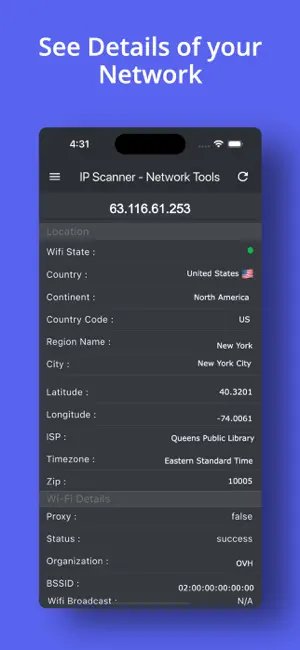
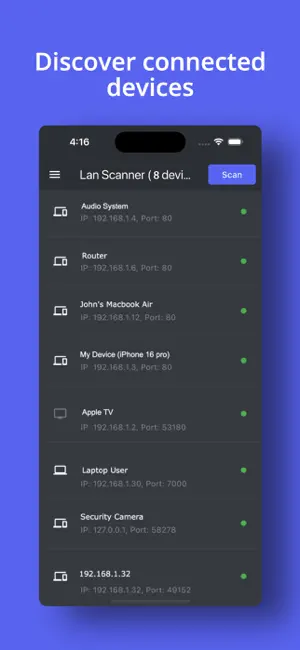
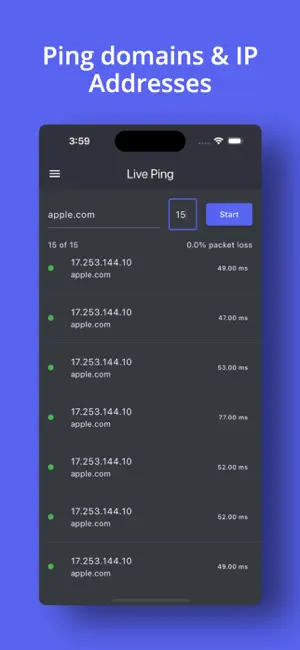
If you want one app that covers everything without hitting a paywall every five minutes, IP Scanner: Network Tools is the one to install first.
The LAN scanner is fast and thorough. It sweeps your local network and returns every connected device with its IP address, hostname, MAC address, and vendor. But what sets this app apart from the competition is the depth of tools packed around that core scan.
What it does that others don't:
- PDF report generation -- scan your network and export the full results as a PDF. Invaluable if you're documenting a client network, presenting a security audit, or just keeping records. No other free iOS scanner does this cleanly.
- WiFi Analyzer -- visualizes signal strength and channel congestion across nearby networks, so you can identify interference and pick the least-crowded channel for your router.
- Router configuration tools -- surface router details and help you navigate to the right settings without hunting through menus.
- IP profile pages -- tap any discovered device to get a full breakdown and interact with it directly (ping, port scan, traceroute) from the same screen.
The rest of the toolkit is solid: ping with response time graphs, traceroute to visualize packet paths hop-by-hop, and a port scanner for checking which services are exposed on any device.
It's completely free, with no subscription required and no features locked behind an upgrade prompt. For home users, network admins, and anyone who needs a quick scan on-site, this is the app to have.
2. Fing -- Network Scanner -- Best for Ongoing Monitoring 
Free (Premium from $3.99/month) · Download on the App Store
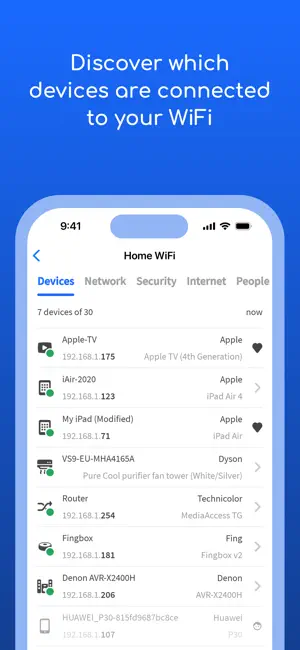
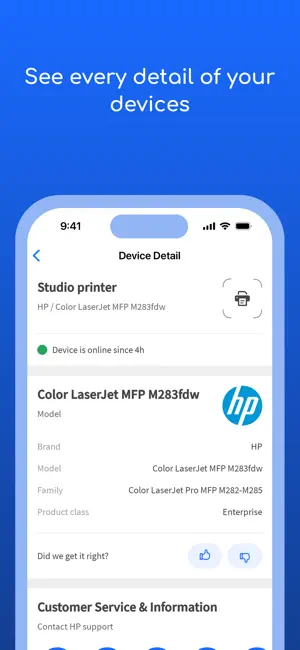
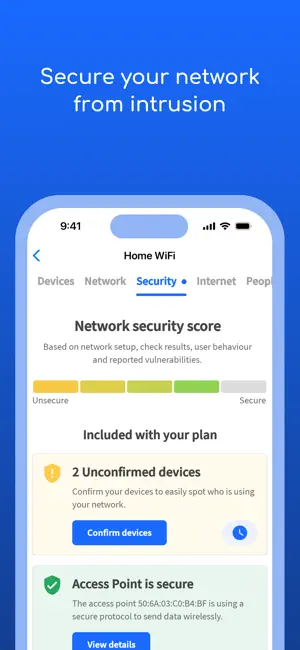
Fing is the most downloaded network scanner on iOS with good reason. 114,000+ reviews and a 4.6-star rating earned over more than a decade. It pioneered the category and the device fingerprinting is genuinely excellent.
Where Fing stands out is device identification. Its patented fingerprinting technology doesn't just show you an IP and a MAC prefix. It identifies the actual device model in most cases: "iPhone 15 Pro," "Samsung Smart TV," "Nest Hub" rather than a generic vendor name. For unfamiliar devices on your network, this makes a real difference.
The free tier covers the essentials: network scan, device list, ping, traceroute, port scan, DNS lookup, and an internet speed test. Security alerts notify you when a new device joins your network.
The catch: Fing's most useful features -- bandwidth monitoring, parental controls, network history, ad blocking -- sit behind a Premium subscription ($39.99/year) or require their separate Fingbox hardware device. If you're comfortable paying for ongoing monitoring, Fing Premium is genuinely polished. If you want everything for free, it starts to feel restrictive.
For home users who want a long-term monitoring dashboard, Fing is the best choice. For on-demand scanning without subscriptions, the app above covers you better.
3. Network Analyzer: Net Tools -- Best Lightweight Option 
Free (with ads) · Download on the App Store
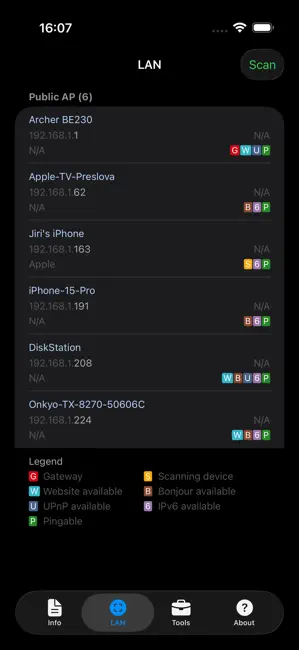
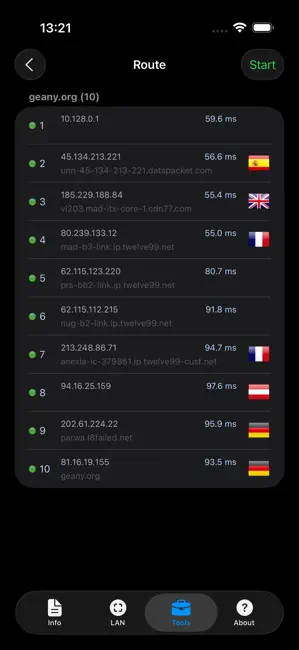
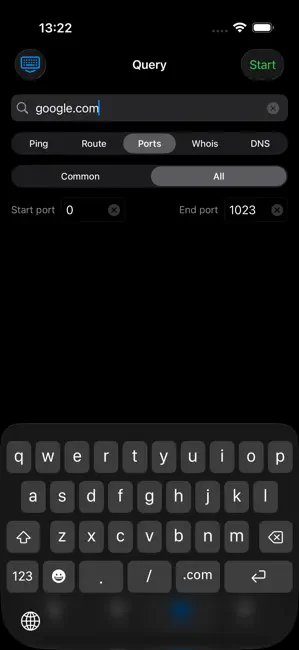
Network Analyzer by Techet is a lean, no-frills diagnostic toolkit that's been around for years and earns its 4.6-star rating across 6,500+ reviews by doing the basics very well.
The WiFi LAN scanner detects connected devices with IP addresses. Ping and traceroute both support IPv4 and IPv6, which matters more as ISPs roll out IPv6 to residential customers. The port scanner identifies open, closed, and firewalled ports correctly. WHOIS and DNS lookups cover multiple record types.
What makes this one worth mentioning: the interface is genuinely simple. If you hand this to someone who isn't technical, they can run a ping or look up a DNS record without needing to figure out where anything is. Light and dark theme support is a small touch that makes it nicer to use.
The downside is ads in the free version. They're present but not aggressive enough to ruin the experience. A Pro version removes them if you use the app regularly.
Good pick if you want something small and dependable that doesn't try to do too much.
4. iNetTools -- Ping, DNS, Port Scan -- Best for Diagnostic Depth 
Free (Premium $4.99) · Download on the App Store
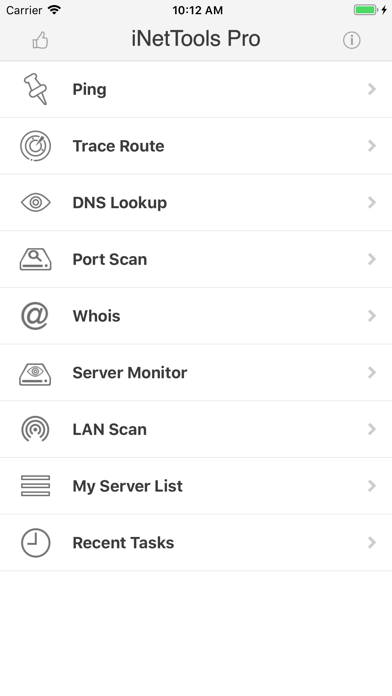
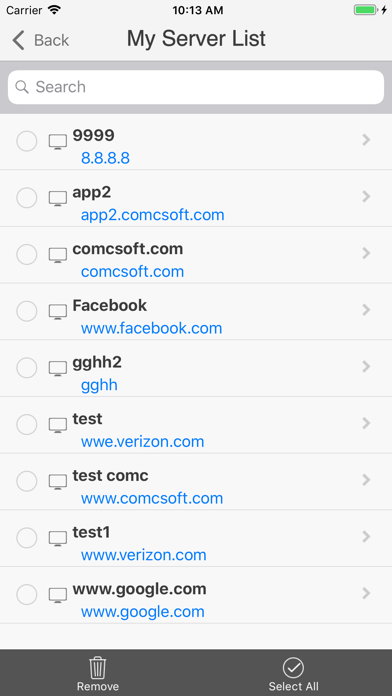
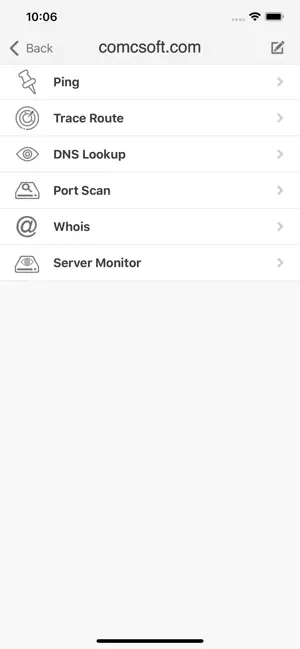
iNetTools by ComcSoft leans more toward network diagnostics than device discovery. The LAN scanner is there, but the real strength is in the diagnostic tools: ping, DNS lookup, traceroute, port scan, and WHOIS, all with IPv4 and IPv6 support.
Two features make it worth keeping around. First, the server list -- you can save frequently checked hosts and run diagnostics against them in one tap. Useful if you regularly monitor a set of servers or test the same endpoints. Second, recent tasks history keeps your last queries accessible so you're not re-entering the same addresses repeatedly.
The interface is straightforward and the tool coverage is solid. Some users on the free version report the ads are more intrusive than they'd like. The $4.99 one-time Premium upgrade removes them and is worth it if you use the diagnostic tools regularly.
Best suited for people who need to run quick checks against specific servers or domains rather than scan an entire local network.
Quick Comparison
| App | Device Discovery | Port Scan | Traceroute | WiFi Analyzer | PDF Export | Free Tier |
|---|---|---|---|---|---|---|
| IP Scanner: Network Tools | Yes | Yes | Yes | Yes | Yes | Full access |
| Fing | Yes (best ID) | Yes | Yes | No | No | Limited |
| Network Analyzer | Yes | Yes | Yes | No | No | Ads |
| iNetTools | Yes | Yes | Yes | No | No | Ads |
Which One Should You Download?
- Just want one app that does everything for free: IP Scanner: Network Tools -- especially if you ever need to export results or analyze WiFi channels.
- Want the best device identification and don't mind a subscription: Fing.
- Want something minimal and fast for quick diagnostics: Network Analyzer.
- Regularly monitor specific servers and want saved host lists: iNetTools.
Pair with Browser-Based Tools
For anything that goes beyond your local network -- checking whether a port is reachable from the outside, looking up an IP's geolocation, running a WHOIS on a suspicious address, or checking blacklist status -- the iOS apps above won't help because they're limited to what they can reach from your device.
For that, use the tools at iptoolspro.com from any browser:
- Port Checker -- test whether a port is open from outside your network
- IP Lookup -- geolocation, ISP, ASN for any IP address
- Reverse DNS -- find the hostname behind an IP
- Blacklist Check -- check if an IP is on spam or threat lists
- WHOIS Lookup -- full registration data for any IP or domain
The combination of a local network scanner on your phone and browser-based tools for external checks covers every diagnostic scenario you'll run into.