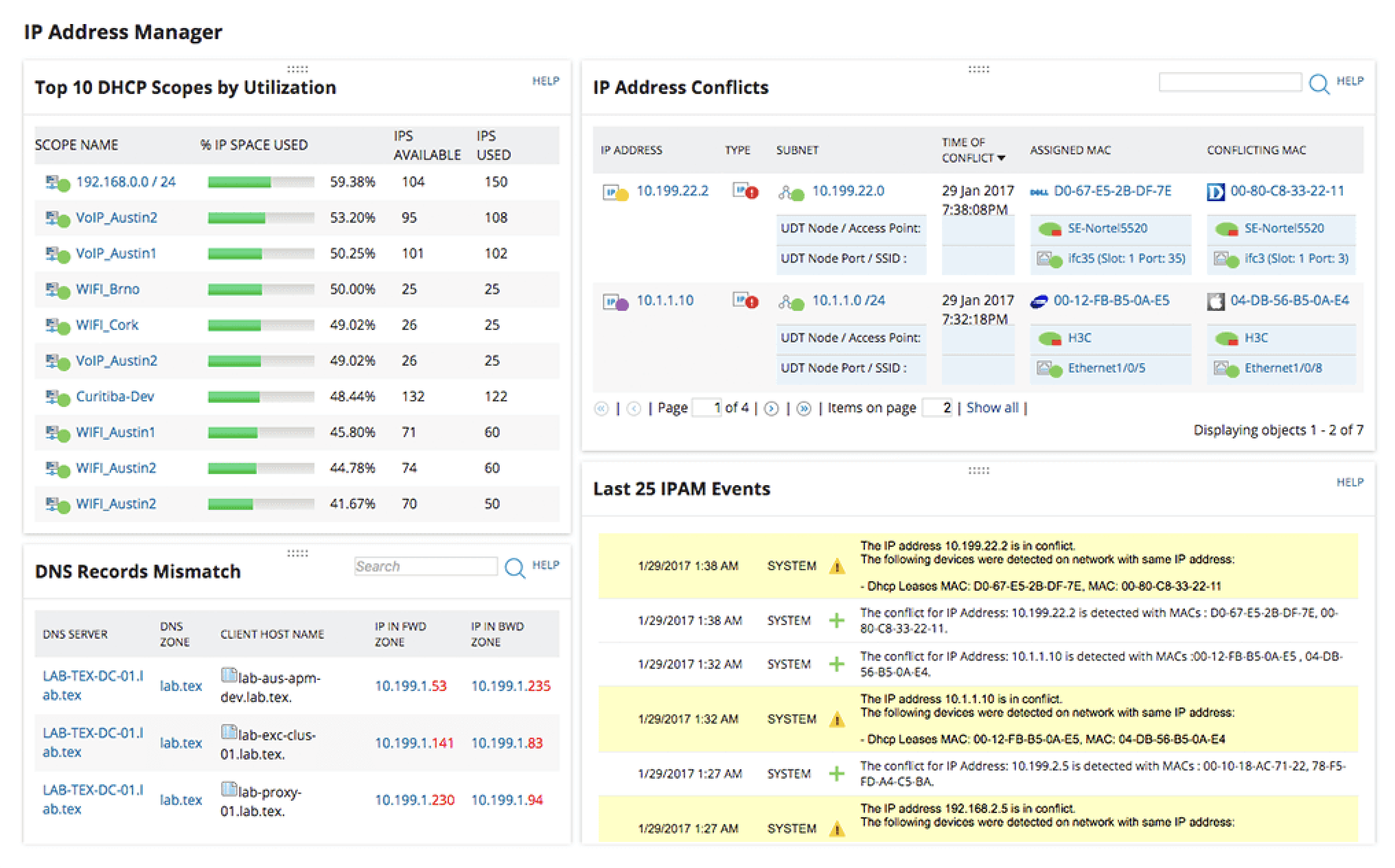
Network administration demands precision, efficiency, and the right tools to keep infrastructure running smoothly. Whether you're troubleshooting connectivity issues, monitoring network performance, or managing IP configurations, having reliable network tools in your arsenal is essential. In this guide, we'll explore five indispensable network tools that every system administrator should master.
1. Wireshark – The Network Protocol Analyzer
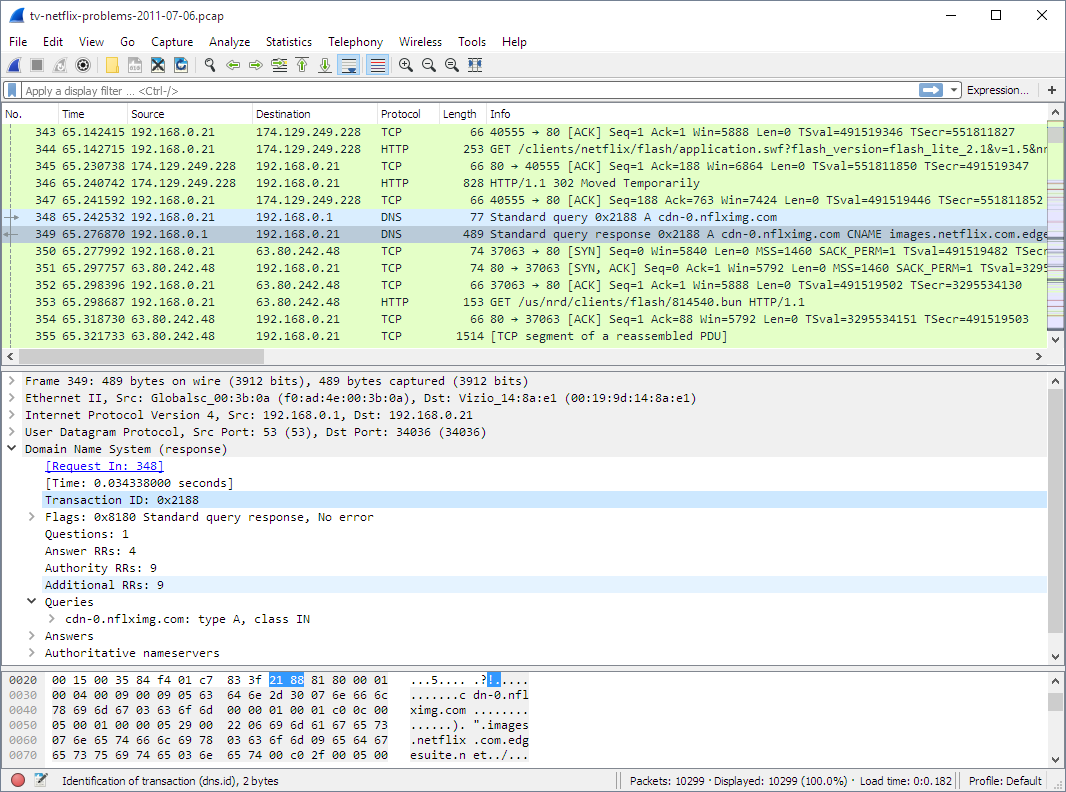
Wireshark stands as the gold standard for network packet analysis and remains an essential tool for administrators at all skill levels. This open-source packet analyzer allows you to capture and interactively browse network traffic in real-time, making it invaluable for troubleshooting complex network issues.
Key Features:
- Deep inspection of hundreds of protocols with continuous updates
- Live capture and offline analysis capabilities
- Powerful display filters to isolate specific traffic patterns
- Rich VoIP analysis and decryption support for various protocols
- Cross-platform compatibility across Windows, Linux, and macOS
Best Use Cases: Wireshark excels when you need to diagnose network problems, analyze security incidents, or verify network program implementations. Administrators frequently use it to identify bottlenecks, detect unusual traffic patterns, and understand exactly what's happening on the wire during connectivity issues.
Pro Tip: Start with capture filters to reduce the volume of data collected, then use display filters to drill down into specific protocols or conversations. This approach keeps your analysis manageable even on busy networks.
2. Nmap – Network Mapping and Security Scanner
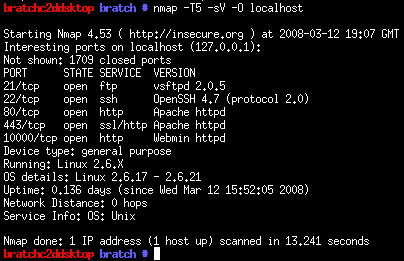
Nmap (Network Mapper) is a powerful open-source tool designed for network discovery and security auditing. System administrators rely on Nmap to inventory network devices, monitor service uptime, and identify potential security vulnerabilities before malicious actors can exploit them.
Key Features:
- Fast and flexible port scanning capabilities
- Service and version detection to identify running applications
- Operating system fingerprinting for device identification
- Scriptable interaction with targets using the Nmap Scripting Engine (NSE)
- Results output in multiple formats including XML for integration with other tools
Best Use Cases: Use Nmap when conducting network audits, verifying firewall rules, discovering unauthorized devices, or maintaining an accurate inventory of network assets. It's particularly valuable during security assessments and compliance audits.
Pro Tip: Combine Nmap with scripts from the NSE library to automate vulnerability detection and gather detailed information about services. The -sV flag for version detection and -O for OS detection provide comprehensive device profiles.
3. PuTTY / OpenSSH – Secure Remote Access
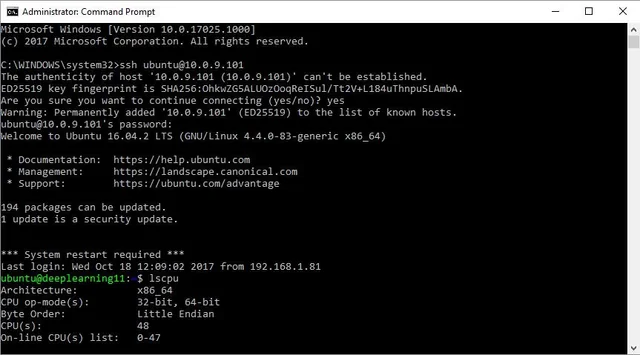
Remote access is fundamental to modern network administration, and SSH (Secure Shell) clients are the backbone of secure remote management. PuTTY remains the go-to choice for Windows administrators, while OpenSSH is standard on Linux and macOS systems.
Key Features:
- Encrypted terminal sessions for secure remote command execution
- Support for SSH, Telnet, and serial connections
- Session management and configuration profiles
- Port forwarding and tunneling capabilities
- Key-based authentication for enhanced security
Best Use Cases: SSH clients are essential for managing remote servers, network devices, and cloud infrastructure. Administrators use them daily for configuration changes, log analysis, and troubleshooting across distributed environments.
Pro Tip: Implement key-based authentication instead of passwords, and use SSH config files to create shortcuts for frequently accessed systems. Port forwarding through SSH can also provide secure access to services running on remote networks.
4. SolarWinds Network Performance Monitor – Enterprise Monitoring
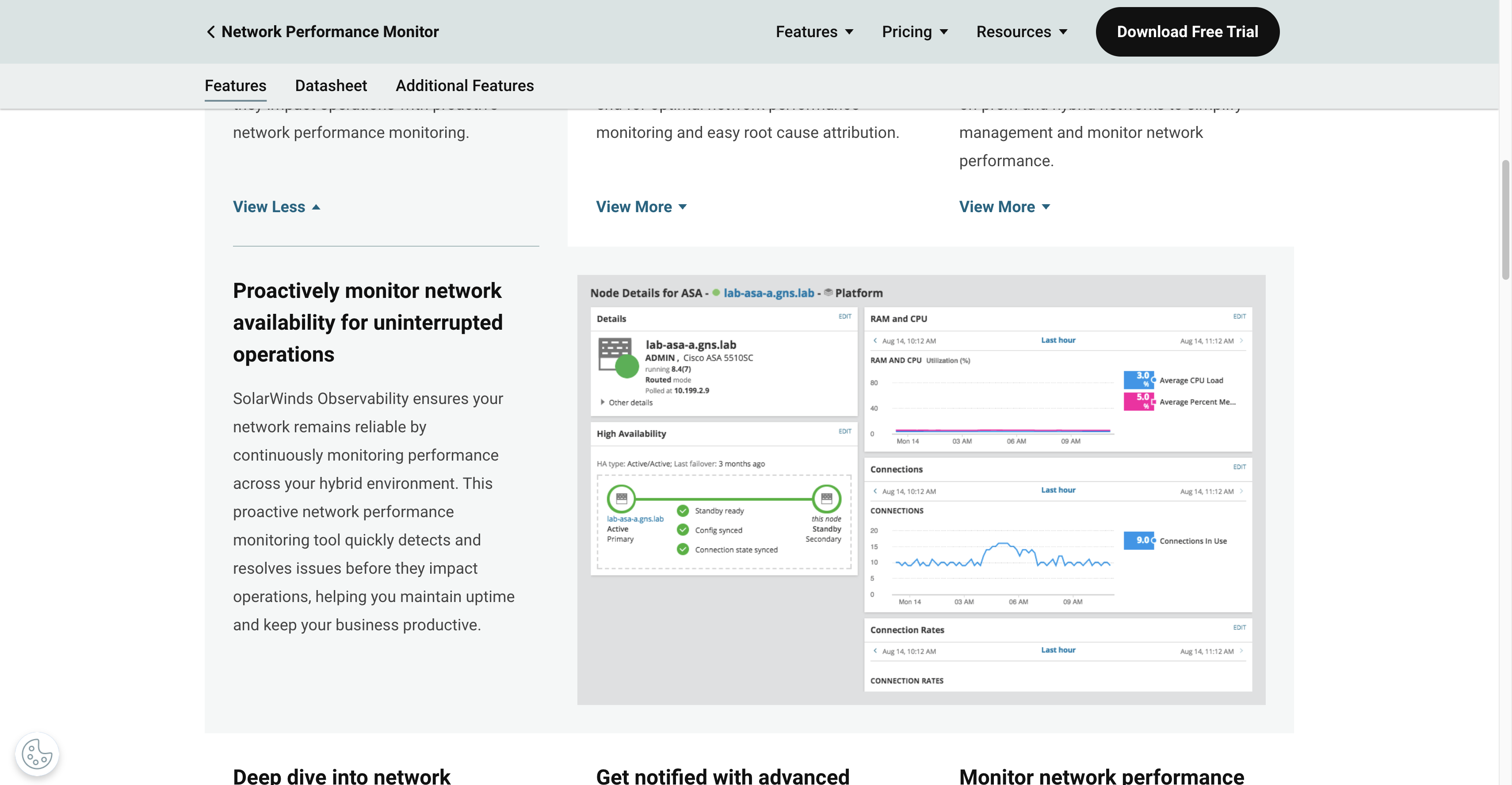
For organizations requiring comprehensive network monitoring, SolarWinds Network Performance Monitor (NPM) provides enterprise-grade visibility into network health and performance. While it's a commercial solution, its capabilities justify the investment for medium to large networks.
Key Features:
- Automated network discovery and topology mapping
- Real-time monitoring with customizable alerts
- Performance metrics and historical trend analysis
- Multi-vendor device support with extensive MIB database
- Intuitive dashboards and detailed reporting capabilities
Best Use Cases: SolarWinds NPM shines in environments with complex, multi-vendor networks requiring centralized monitoring. It's particularly valuable for capacity planning, SLA compliance tracking, and identifying performance degradation before it impacts users.
Alternative Options: For budget-conscious admins or smaller networks, consider open-source alternatives like Zabbix, Nagios, or PRTG Network Monitor's free tier, which offers similar monitoring capabilities.
5. IP Address Management Tools – IPAM Solutions
Effective IP address management is critical as networks grow in complexity. Modern IPAM tools combine DHCP, DNS, and IP address tracking to prevent conflicts and streamline network planning.
Key Features:
- Centralized IP address tracking and allocation
- Integration with DHCP and DNS services
- Subnet planning and visualization
- IP address conflict detection and resolution
- Automated discovery of network-connected devices
Best Use Cases: IPAM tools are essential when managing multiple subnets, planning network expansion, or maintaining accurate documentation of IP allocations. They prevent address conflicts and simplify troubleshooting by maintaining comprehensive records of IP assignments.
Popular Solutions: Microsoft's IPAM (included with Windows Server), phpIPAM (open-source), and commercial options like Infoblox provide varying levels of sophistication and integration.
Pro Tip: Visit iptoolspro.com for free online IP tools including subnet calculators, IP geolocation, and ping utilities that complement your IPAM solution without requiring software installation.
Choosing the Right Tools for Your Environment
The best network tools depend on your specific requirements, network size, and budget. Most administrators benefit from combining free open-source tools like Wireshark and Nmap with commercial solutions for monitoring and management.
Essential Factors to Consider:
- Network size and complexity
- Operating system compatibility
- Budget constraints and licensing costs
- Required features versus nice-to-have capabilities
- Learning curve and available documentation
- Integration with existing systems
Building Your Network Admin Toolkit
Start with the fundamentals: install Wireshark for packet analysis, Nmap for discovery, and a reliable SSH client for remote access. As your needs grow, add monitoring solutions and IPAM tools to maintain visibility and control over your network infrastructure.
Remember that tools are only as effective as the administrator using them. Invest time in learning these tools thoroughly, understanding their capabilities and limitations. Practice in lab environments before deploying new tools or techniques in production networks.
Conclusion
These five categories of network tools form the foundation of effective network administration. Wireshark provides deep packet-level insight, Nmap offers discovery and security scanning, SSH clients enable secure remote management, monitoring solutions maintain visibility, and IPAM tools prevent configuration chaos.
By mastering these essential tools and understanding when to apply each one, network administrators can diagnose issues faster, maintain better security posture, and keep networks running reliably. The investment in learning these tools pays dividends through reduced downtime, improved security, and more efficient network operations.
For additional network utilities and online tools that complement your toolkit, explore the comprehensive collection at iptoolspro.com, where you'll find calculators, converters, and diagnostic tools accessible from any device.
---
What network tools do you find indispensable in your daily work? Share your experiences and recommendations in the comments below.